Drop into the conversation.
Voice calls with microphone, mute, deafen and individual volume controls. Stay together while you play, plan or catch up.
Meet voiceThe good conversations. The late-night calls. The things you want to share. Bring them together with Sawalef.
Voice, messages and screen sharing. One focused Windows app.

Built around the moments between friends, with the controls you need and a space that feels like yours.
Voice calls with microphone, mute, deafen and individual volume controls. Stay together while you play, plan or catch up.
Meet voiceGroup conversations and direct messages, with attachments, voice notes and encrypted local history.
Explore messagesShare a window or your screen during a call. Choose quality settings and open shared content in a focused viewer.
See screen sharingSee the actual Sawalef Windows interface, captured with synthetic demo accounts.
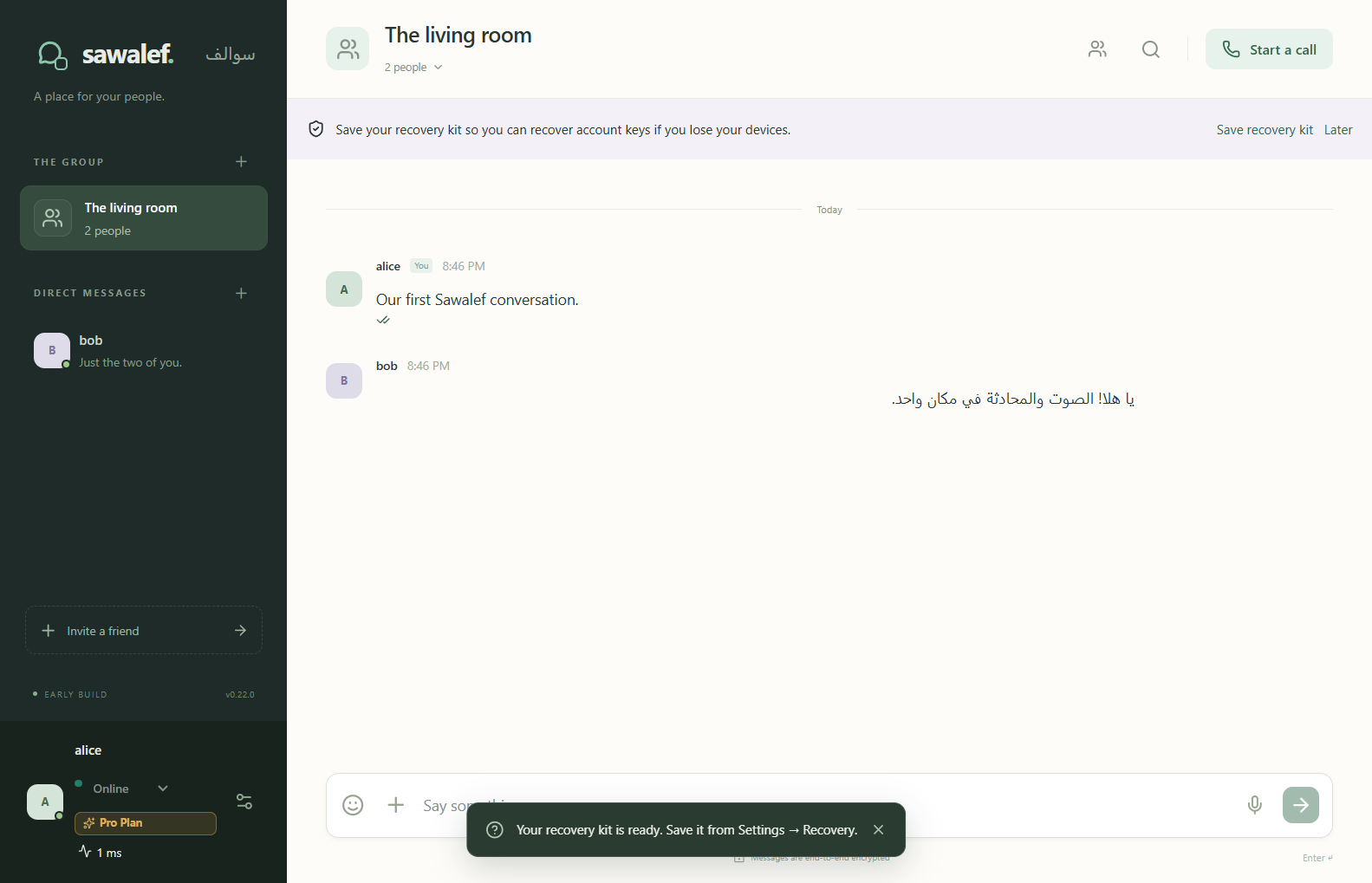
These captures show the interface. They do not represent public release or measured network performance.
Some things are better as a conversation. Sawalef brings voice into the same space as your messages, so catching up feels natural.
Call availability and quality depend on your devices and network.
Walk through an idea, show what you are working on or help a friend find their way. Share a screen or a window without leaving the call.
Available quality depends on account limits, hardware and connectivity. No fixed resolution or frame rate is guaranteed.
Sawalef is built around direct WebRTC calls when a verified peer-to-peer route is available. The service helps you find and connect to each other.
The service handles accounts, permissions, encrypted message delivery and call signaling. Direct call streams travel between participants.
Direct connections are not available on every network. The current documented call path needs a reachable direct route; there is no promise of a relay fallback.
Quality settings and adaptive media budgets help manage connection demands. Real-world performance varies; we publish no latency or bandwidth guarantees.
Privacy deserves clear explanations, not sweeping promises.
Read the Privacy PolicyThe current app uses OpenMLS for message encryption and encrypted records for local history. Account and delivery metadata still support the service.
Device approval and revocation help control which devices have account access. Your recovery material should be kept safe and private.
Call usage summaries describe duration and estimated traffic. Voice and screen payloads are not sent to service analytics.
A simple flow in the current Windows app. Public access is still being prepared.
When access is available, sign in and complete device approval. Keep your recovery information somewhere safe.
Open your shared group or a direct conversation. Text in English or Arabic and pick up where you left off.
Start or answer a voice call. Share a window when you want everyone to see the same thing.
Sawalef is currently in active development. A private preview is available to authorized testers through Microsoft Store.
Installation requires tester authorization and the appropriate Microsoft account. The Store listing can be viewed using the link below, but viewing it does not grant private-preview installation access.
For preview access, contact [email protected]. Public subscriptions and paid offerings are not active on this website.
More about the product, its privacy approach and what is available today.
Sawalef is In Development · Private Preview. You can view its Microsoft Store listing through the availability section. Preview installation requires tester authorization and the appropriate Microsoft account; listing visibility alone does not grant access. Contact [email protected] to request access.
The current application is Windows first. No macOS, Linux, iOS or Android release is announced on this site.
Yes. The implemented desktop interface supports English and Arabic, including right-to-left layout. This website is presented in English.
Call media uses a verified direct WebRTC path when the network permits it. Sign-in, authorization and call coordination still use the service. The current documented path requires a direct connection and may be unavailable on restrictive networks.
The current implementation encrypts messages and attachment contents, and stores encrypted local history records. The service still handles account, device, delivery and usage metadata. See the Privacy Policy for the scope and limitations; this is not a claim that every data category is end-to-end encrypted.
Plan and subscription support exists in the current development work. Public pricing and licensed Microsoft Store purchases are not confirmed. This website does not sell subscriptions or collect payments.
The site includes no analytics scripts, advertising pixels, cookies or browser storage. Its hosting provider may process request information to deliver and protect the site. The Privacy Policy explains the distinction between website visits, app data and enquiries.
For business, partnerships, developer or startup-program enquiries, contact [email protected]. For product support, contact [email protected].